How the HQ Shopify App Works
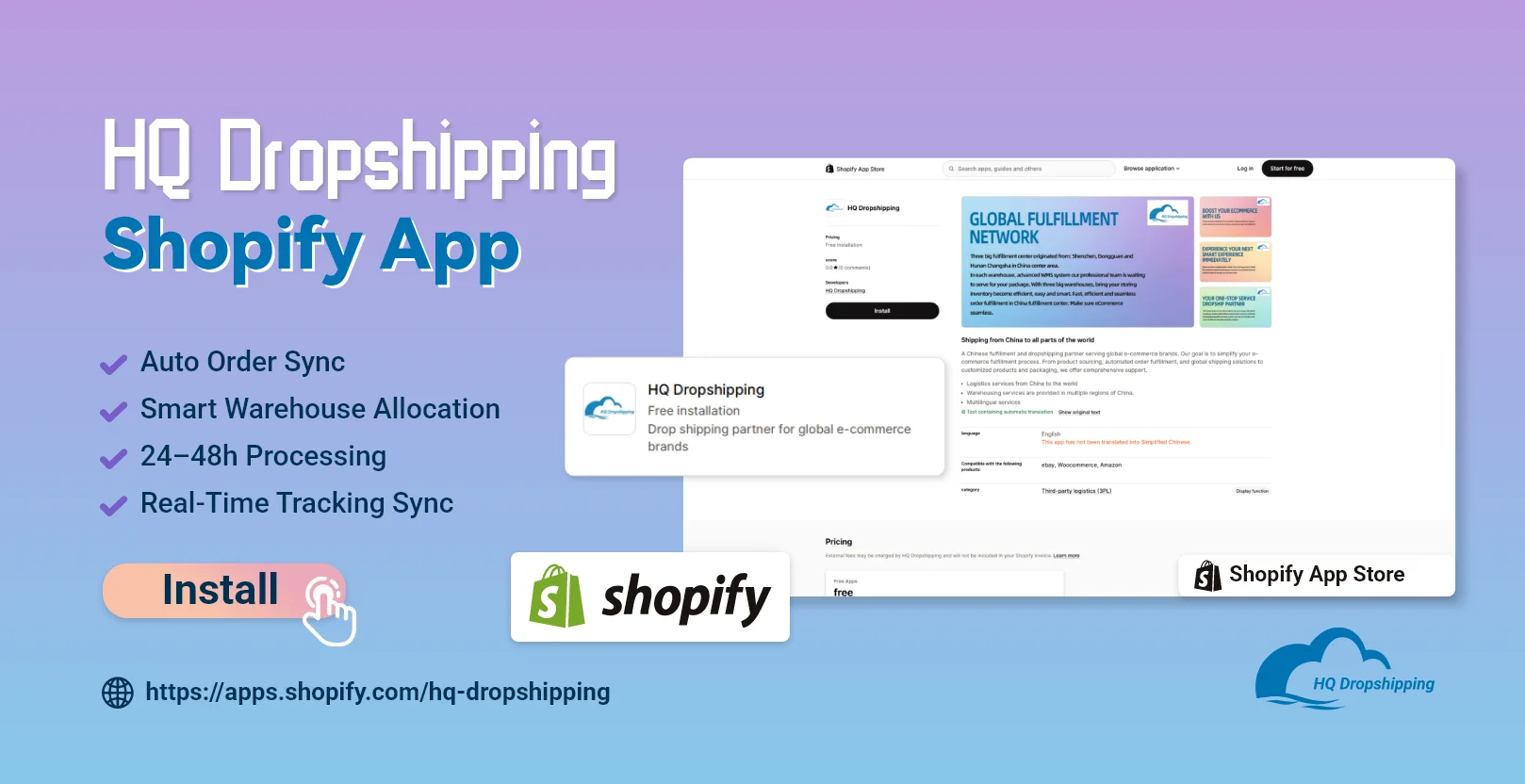
The HQ Dropshipping Shopify App connects your store directly to our China fulfillment system.Here’s what happens after installation:
✅ Orders from your Shopify store automatically sync into our system
✅ Our warehouse receives the order instantly
✅ Products are picked, packed, and shipped within 24–48 hours
✅ Tracking numbers are generated
✅ Tracking information automatically syncs back to Shopify
✅ Customers receive automatic shipment updatesNo spreadsheets. No manual input. No operational chaos.It’s a direct integration between Shopify and a professional 3PL system.
Step-by-Step: How to Connect Shopify to a China Fulfillment Center
Here is the simplified setup process.Step 1: Install the HQ Dropshipping App
Go to the Shopify App Store and search for HQ Dropshipping.Click “Install” and authorize the app.Note: Even Shopify Basic plans can connect.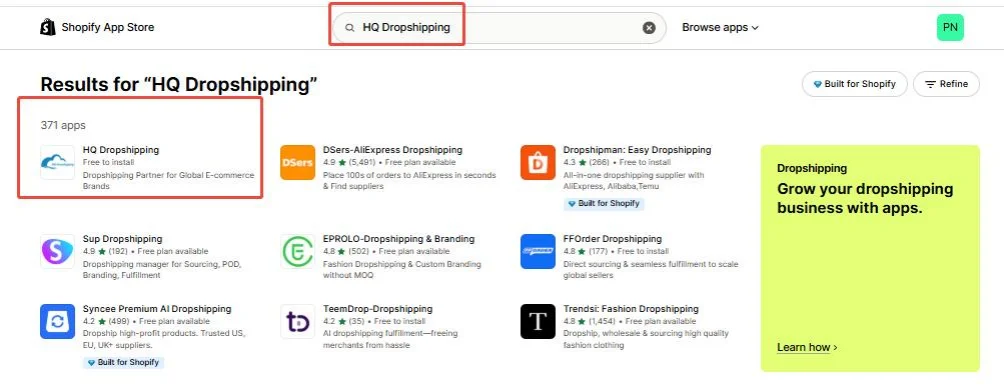
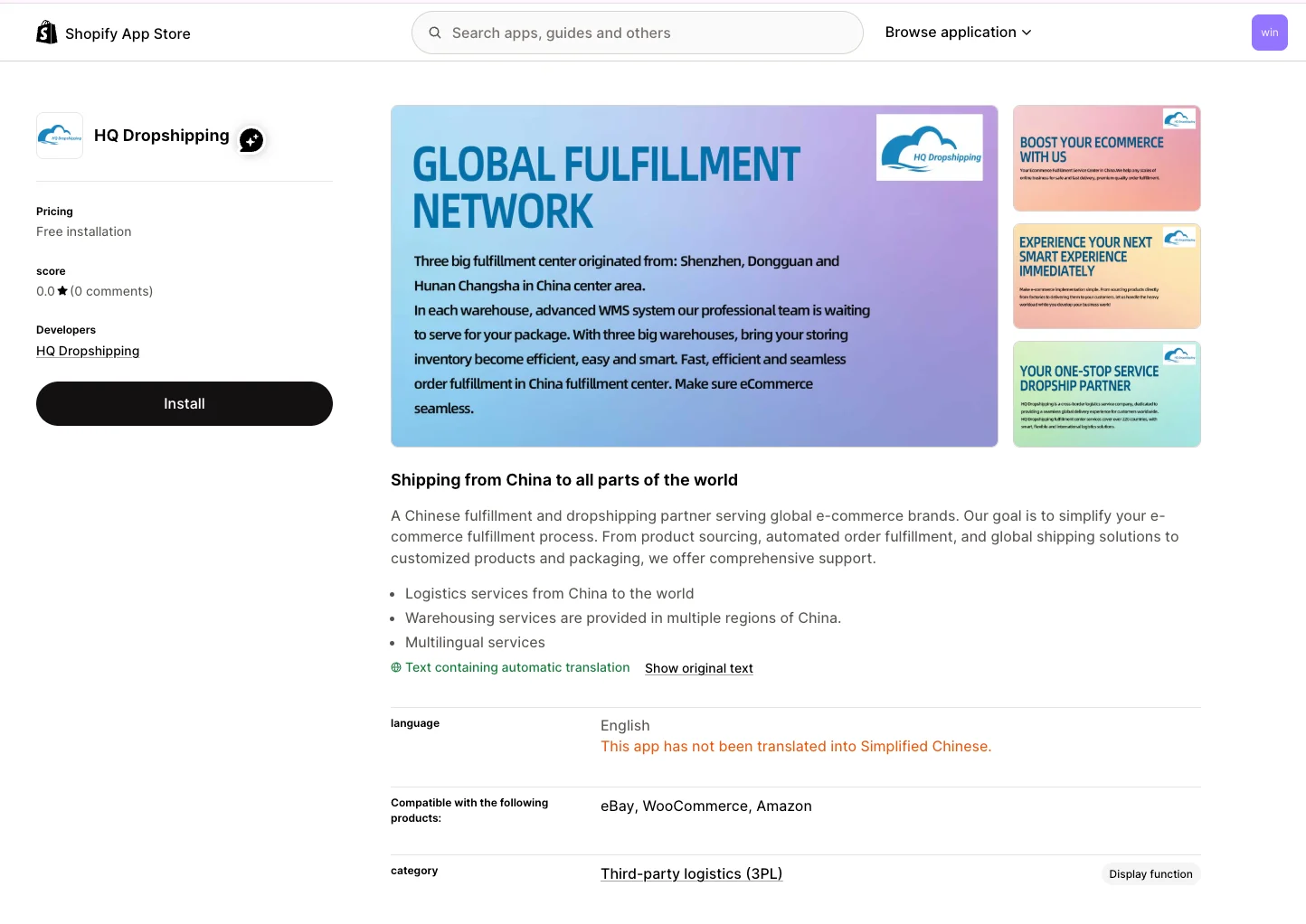
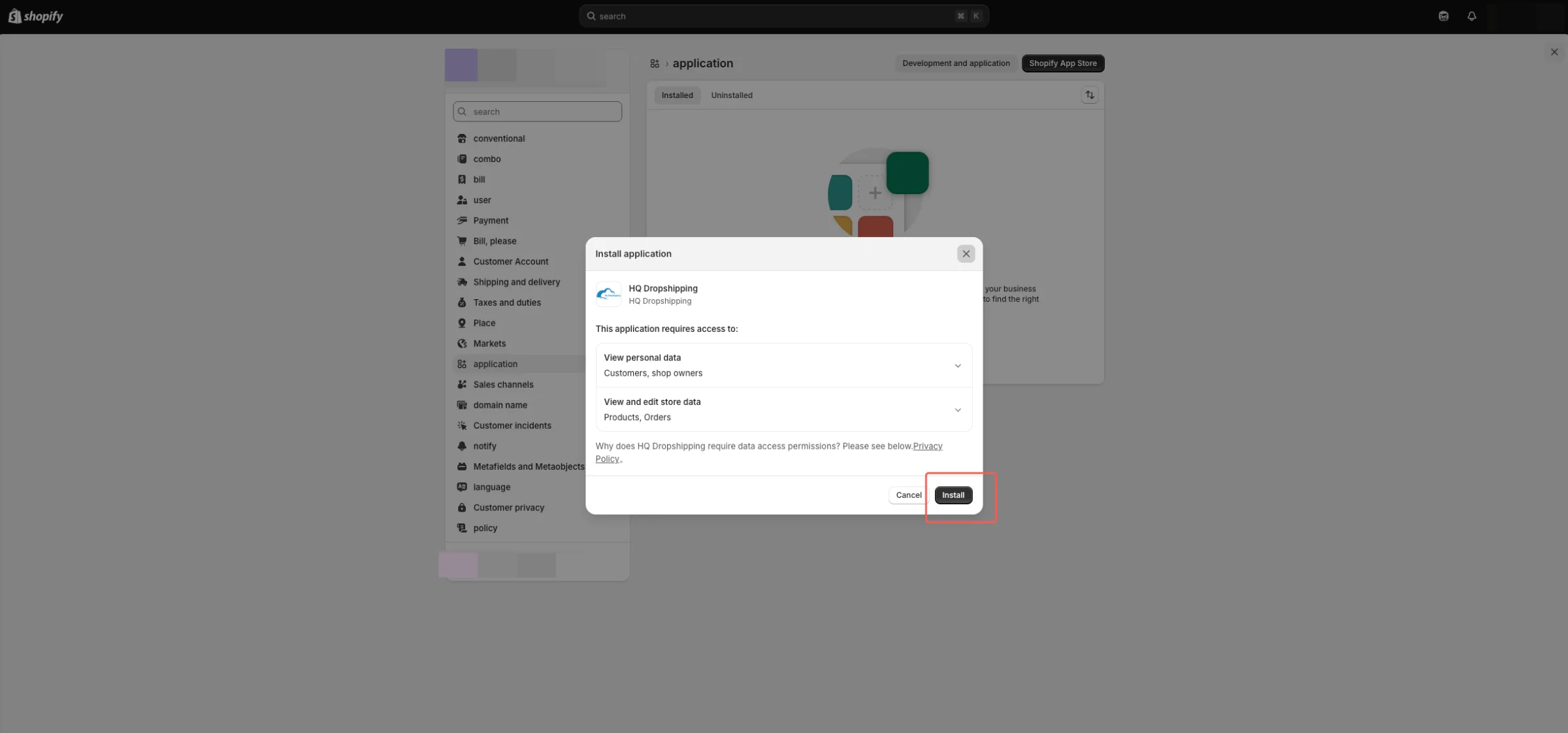
Step 2: Register & Activate Your Account
After installation:✅ Log into our ERP system (OMS – User Login) dashboard → Sign In
✅ Click My Store → Shopify (Public Application) → Install Application
✅ The system will automatically redirect to the Shopify backend → Enter the customer’s store name → Click Authorize Successfully → You’ll be redirected back to the system’s connected page
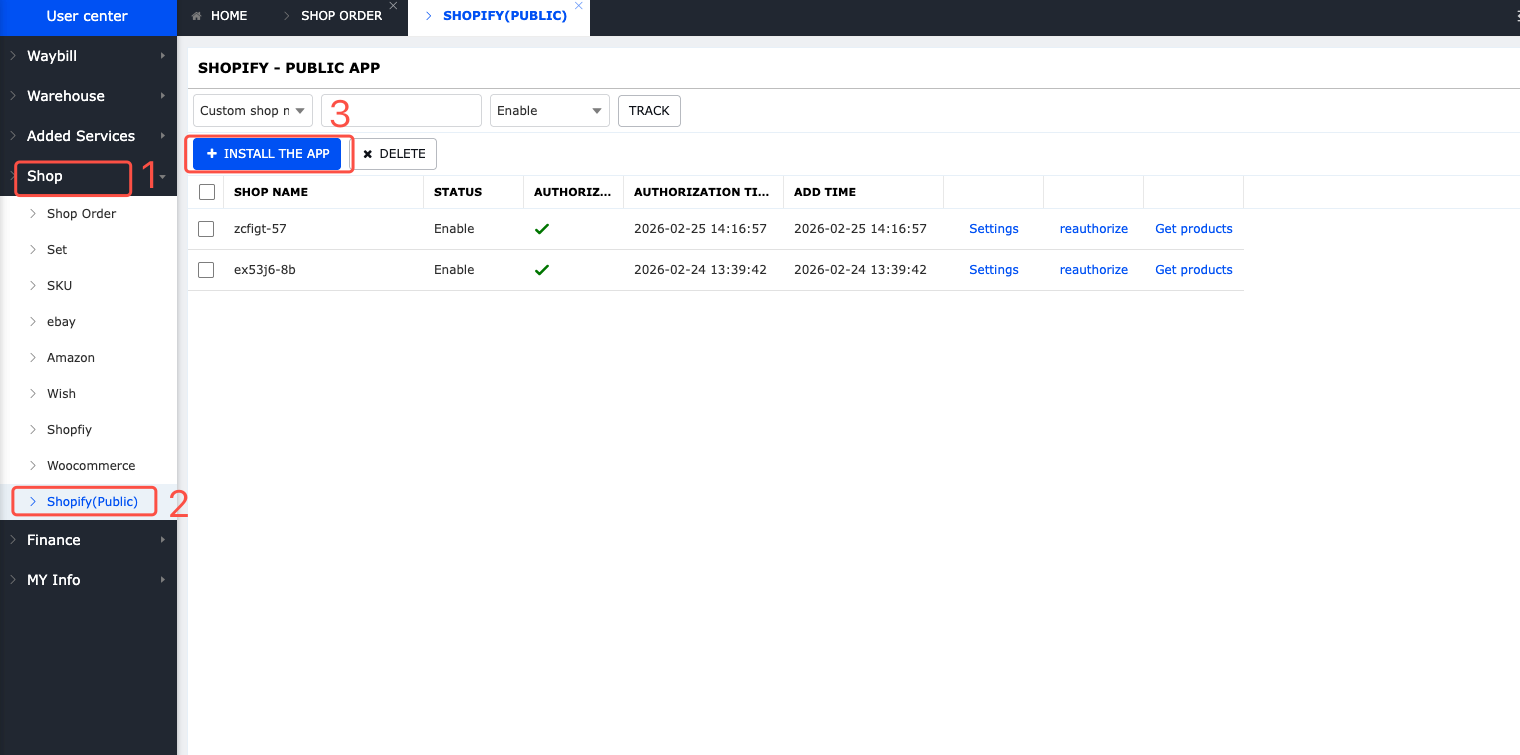
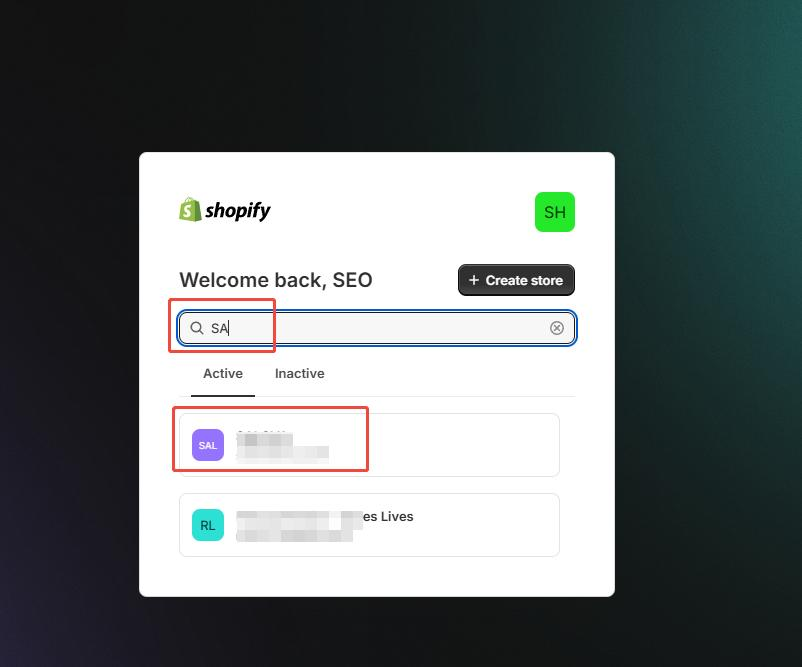

✅ To activate your account, please reach out to your dedicated sales representative or our 24/7 support team for verification.(WhatsApp:+86 186 9222 6530)
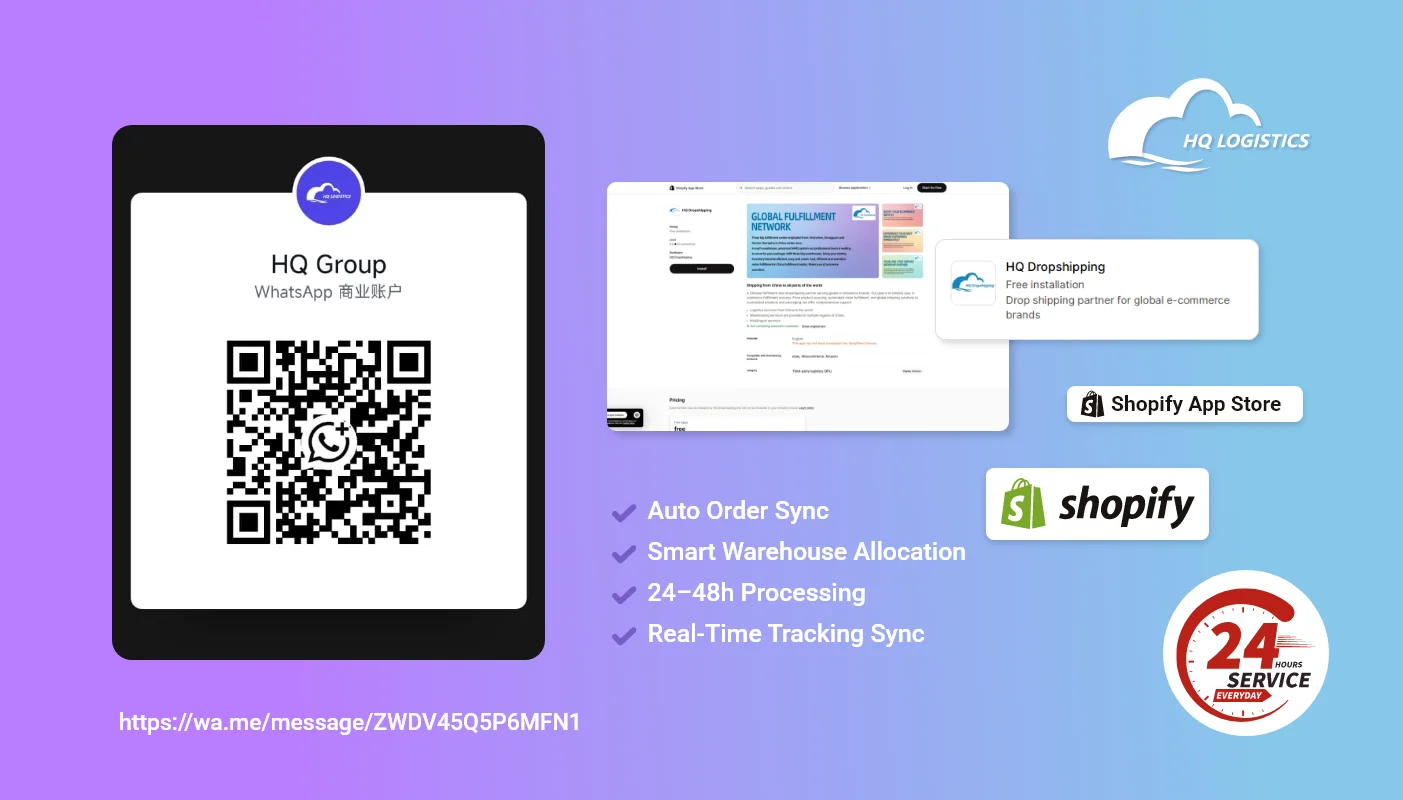
✅ Once approved, you will be granted system access to configure your store settings, assign warehouse locations, and begin order synchronization.

Step 3: Configure Order Download Settings
Inside the dashboard:✅ Set your primary shipping countries
✅ Assign the appropriate warehouse
✅ Confirm product SKUs are mapped correctlyThis ensures accurate routing and fulfillment.
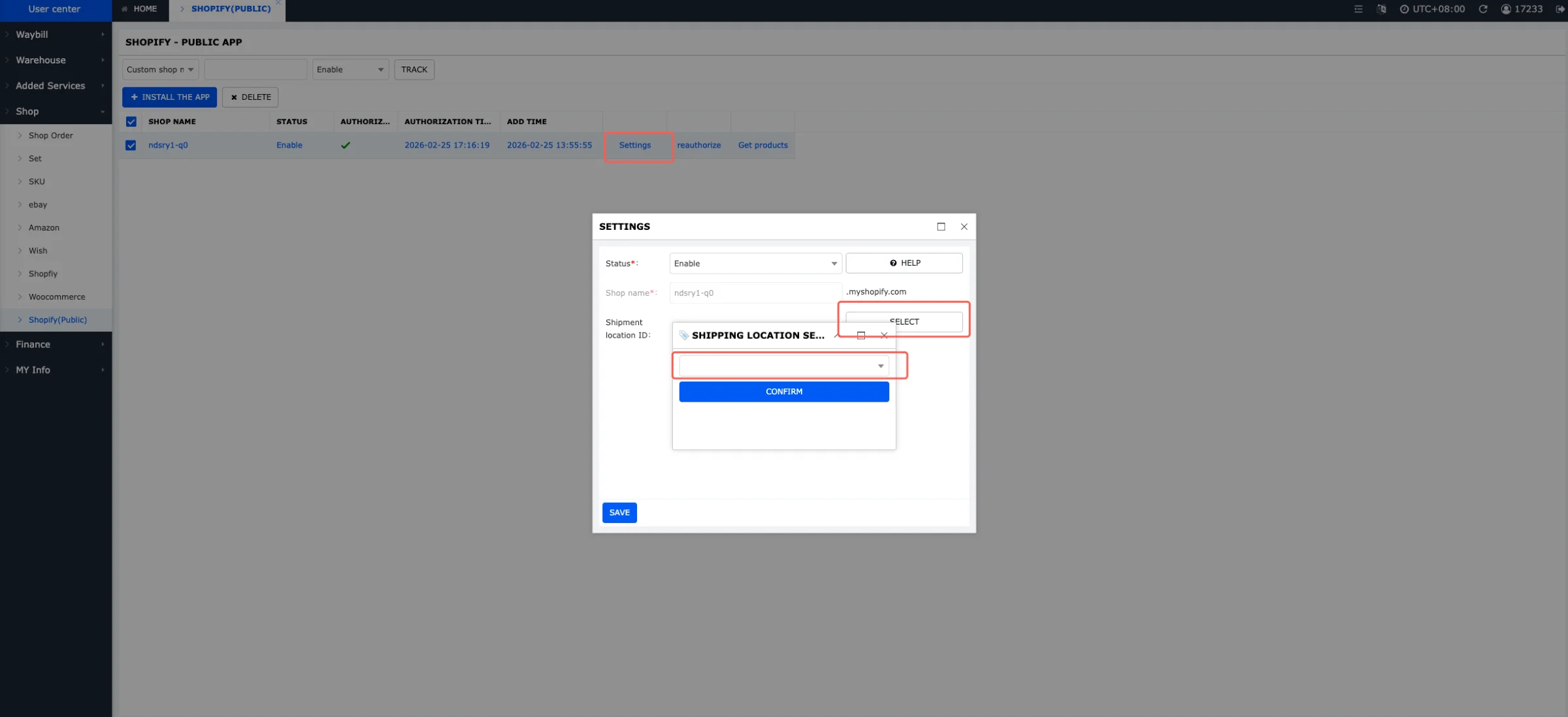
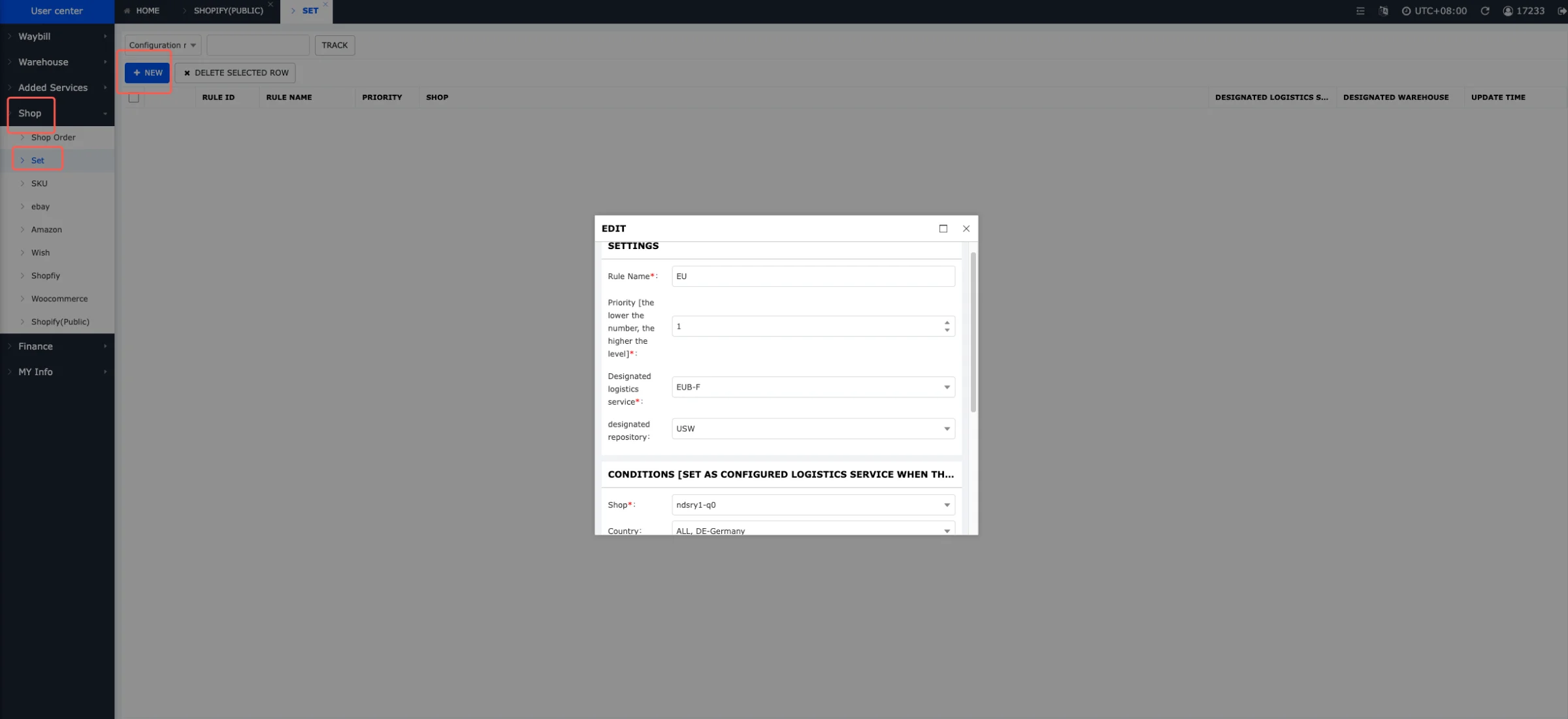
Step 4: Sync Orders
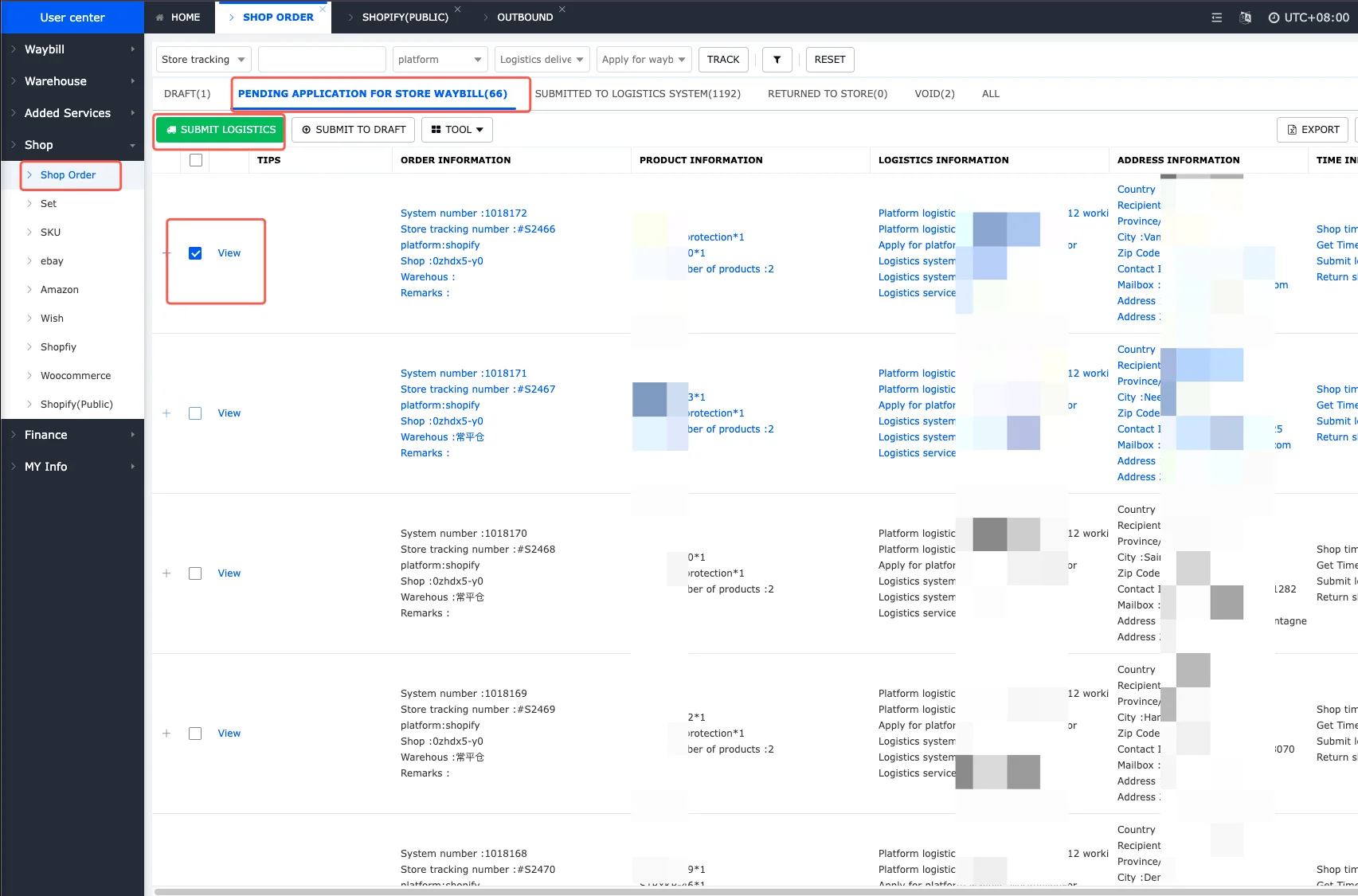
Go to:My Store → Store Orders → Get Orders → Shopify (New)Click “Get Orders.”Your store orders will now sync into the HQ system.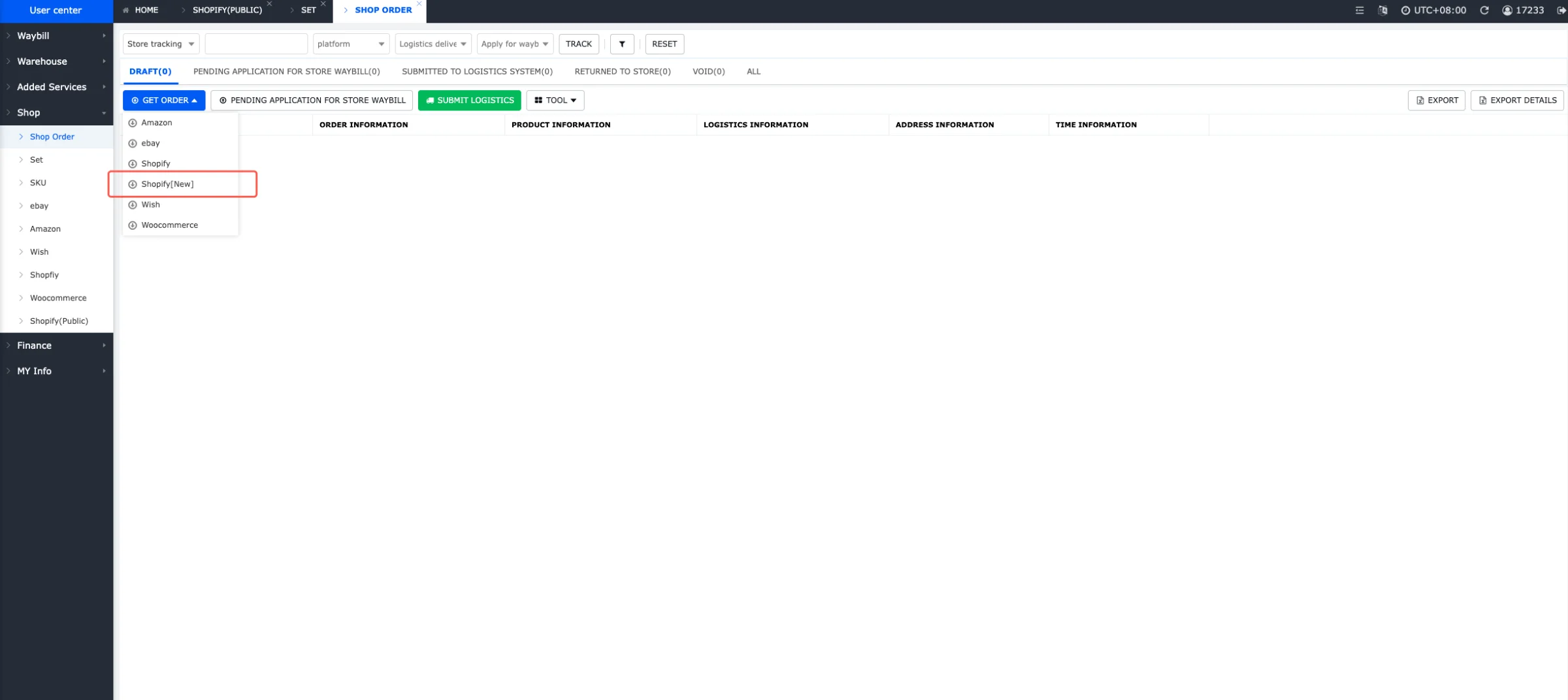
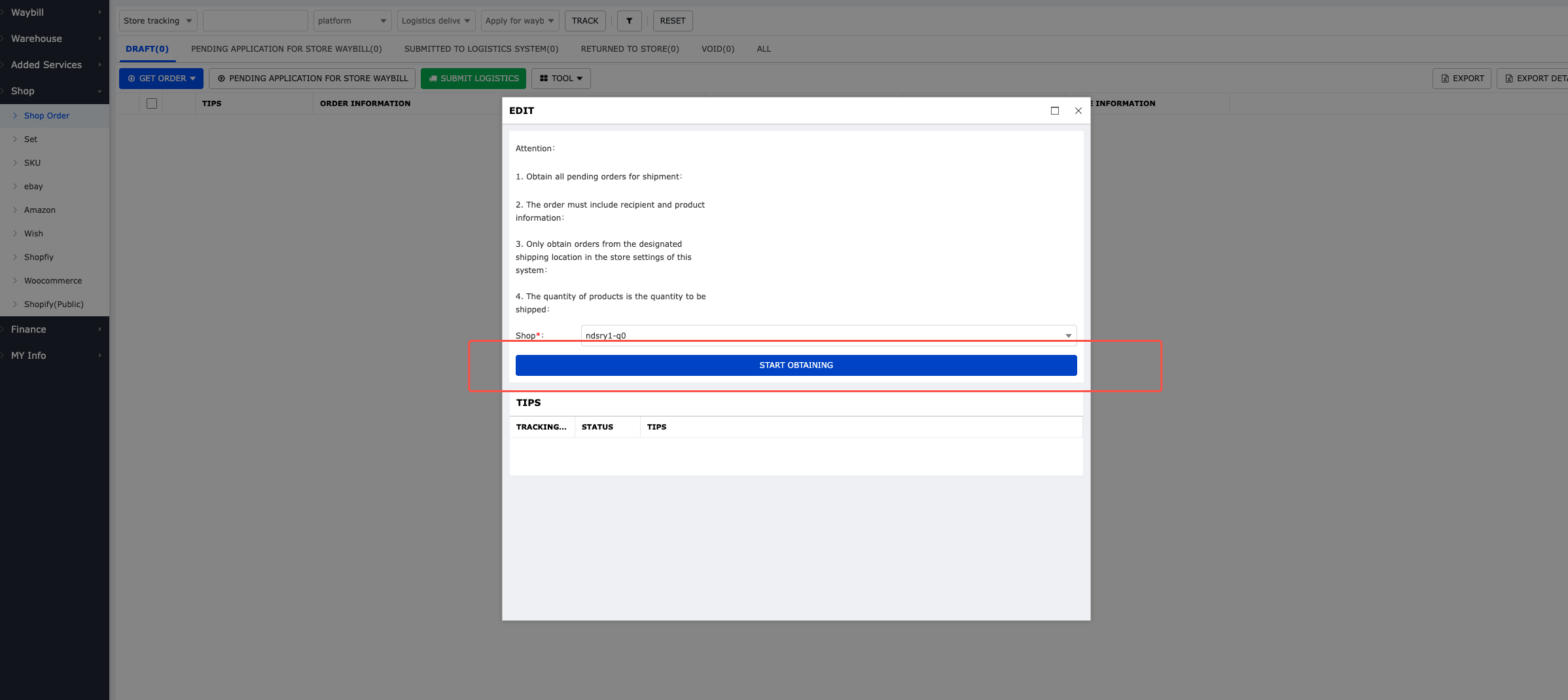
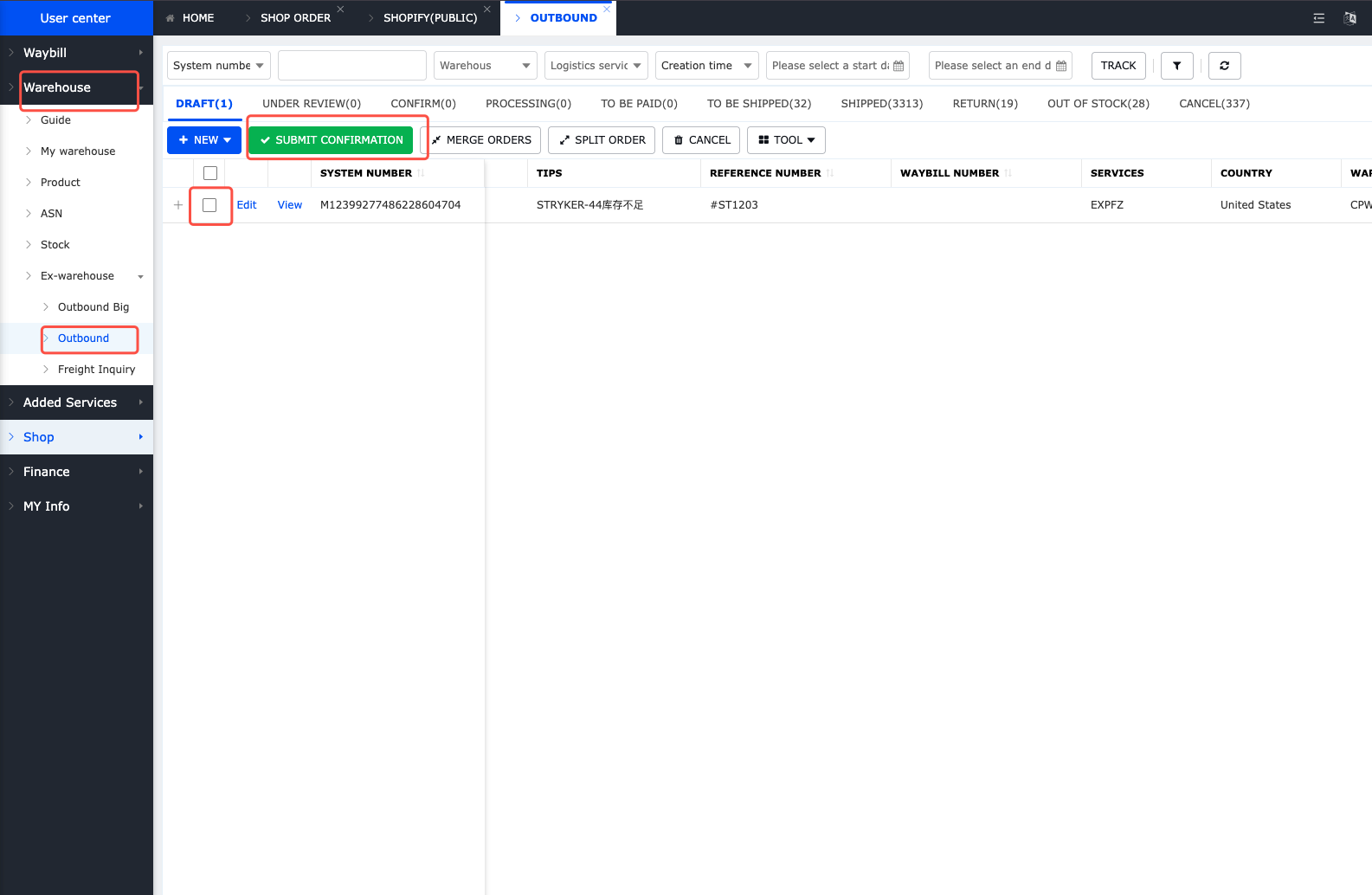
Step 5: Submit Orders to Logistics System
Select the orders you want fulfilled and submit them.The warehouse will begin processing immediately.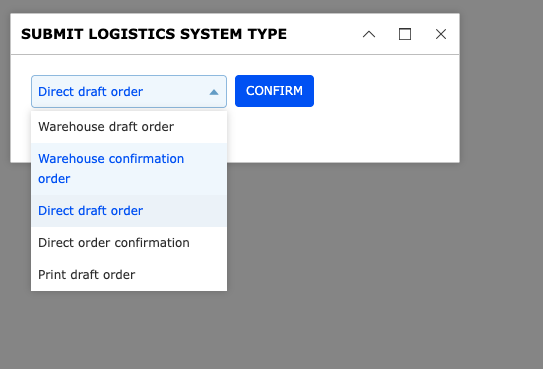
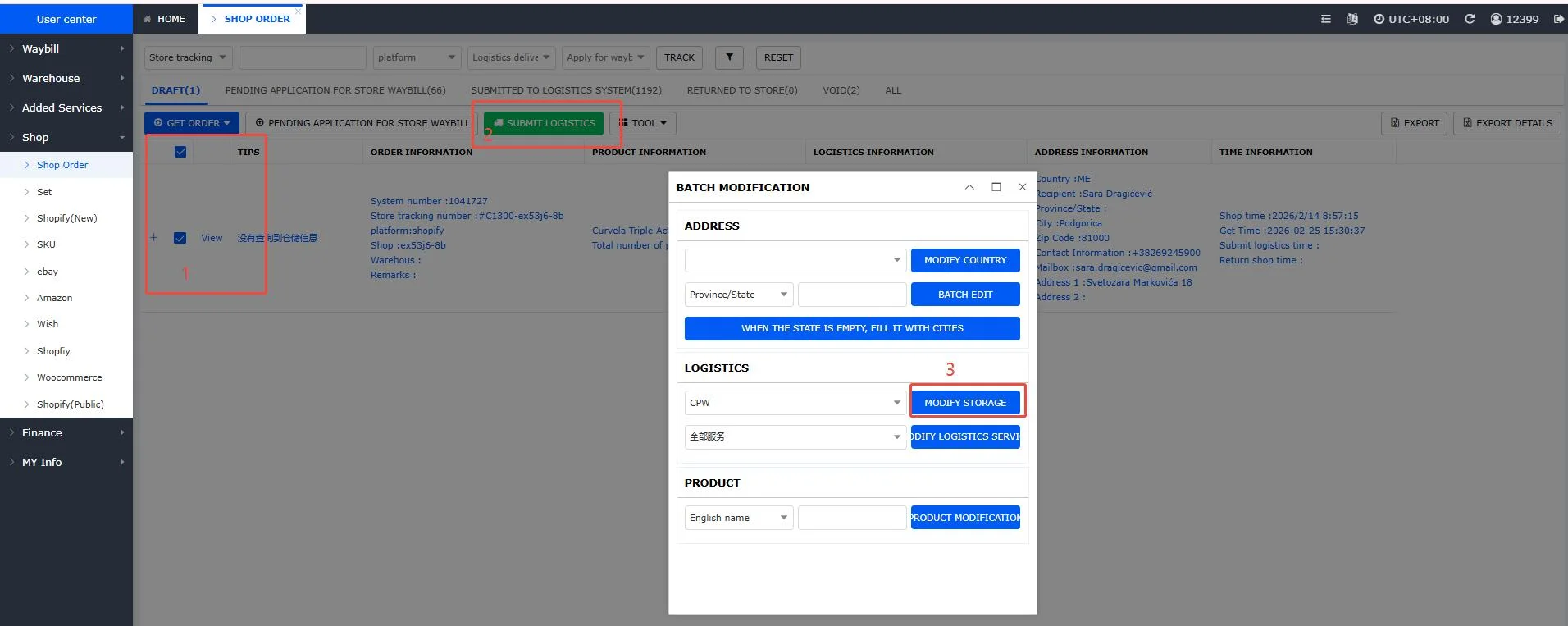
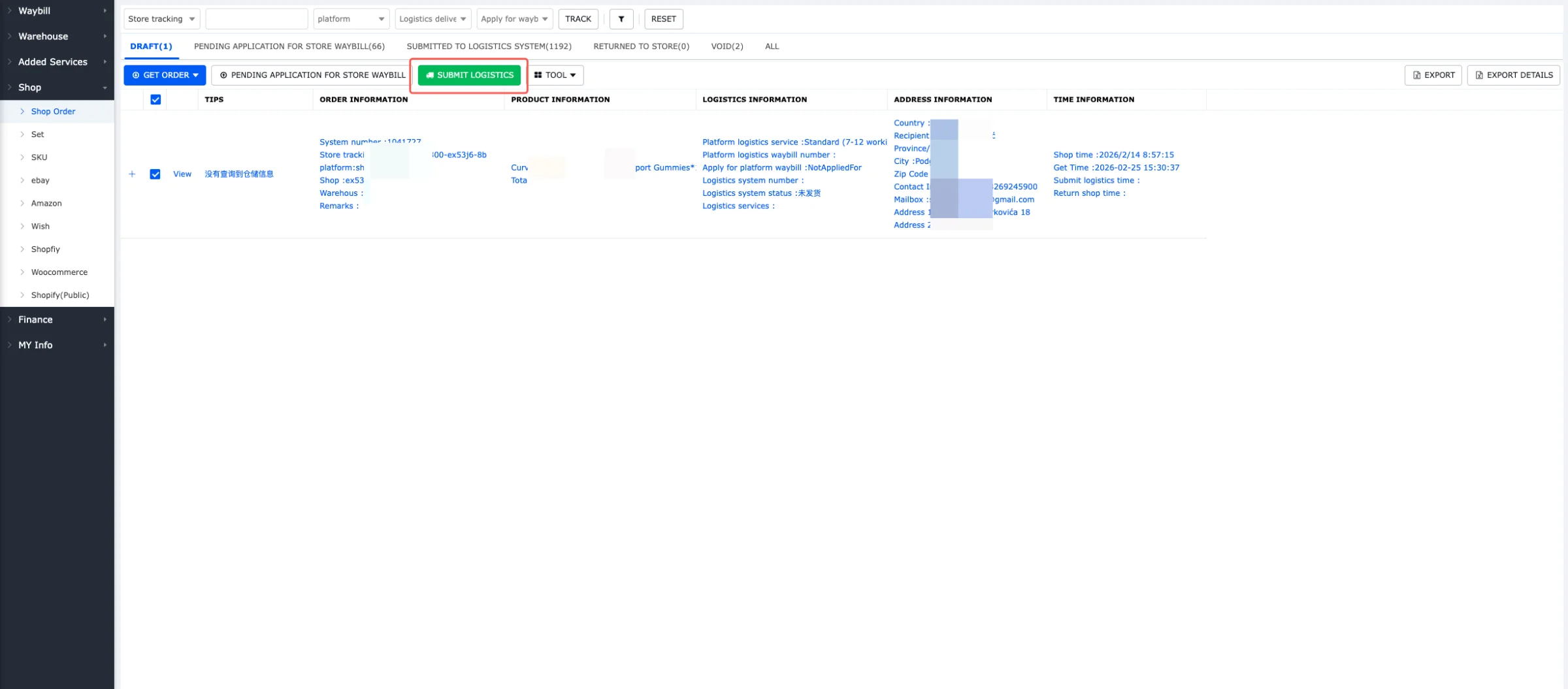
Step 6: Tracking Number Sync
Once shipped:✅ Tracking numbers are generated
✅ They sync automatically back to your Shopify store
✅ Customers receive shipment notificationsYour fulfillment cycle is now fully automated.
Common Mistakes to Avoid
Even with automation, sellers often make these errors:❌ 1. Not Mapping SKUs Properly
If your product SKUs don’t match between Shopify and the fulfillment system, orders may not process correctly. Always double-check SKU consistency.❌ 2. Incorrect Warehouse Selection
If you sell globally, make sure the correct warehouse is assigned to the correct region. Smart warehouse allocation reduces cost and delivery time.❌ 3. Not Testing Before Scaling
Before launching large ad campaigns:✅ Test 3–5 orders
✅ Verify tracking updates
✅ Confirm shipping timeAlways validate the workflow first.